Rally Clock
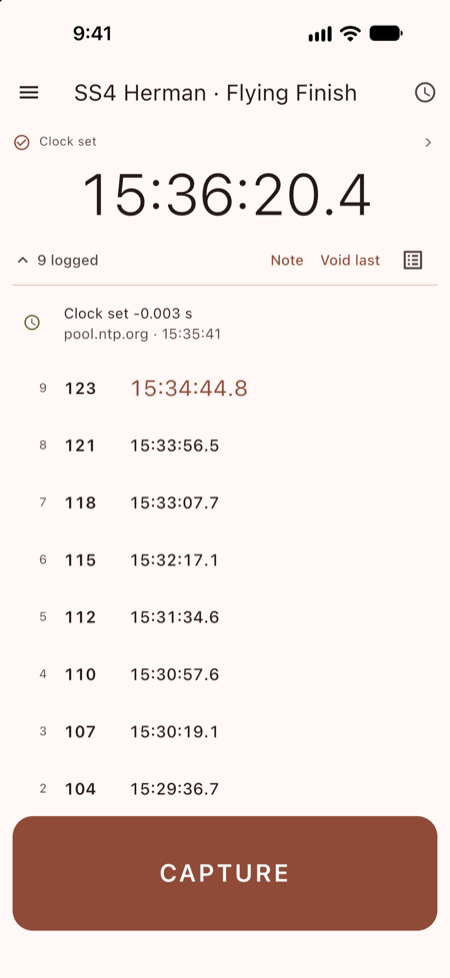
A timing and log app for stage rally control workers and marshals: a clock you can trust, one big button to capture cars, and a log that gets to scoring without anyone retyping a paper sheet at midnight.
It captures data. It doesn't score. Every row is saved on the device the moment it's written, so a flat battery loses nothing already logged. It works at the side of a road with no signal: devices talk to each other over a Wi-Fi network or phone hotspot, and nothing needs the internet.
Get Rally Clock
- Android — Google Play. Needs Android 7.0 or later.
- iPhone and iPad — the App Store (coming soon). Needs iOS or iPadOS 15 or later.
- Mac — the Mac App Store (coming soon). Needs macOS 12 or later.
- Linux — download version 1.0.0 (8 MB,
.debfor 64-bit Debian and Ubuntu). See installing on Linux. - Windows — coming soon.
What it does
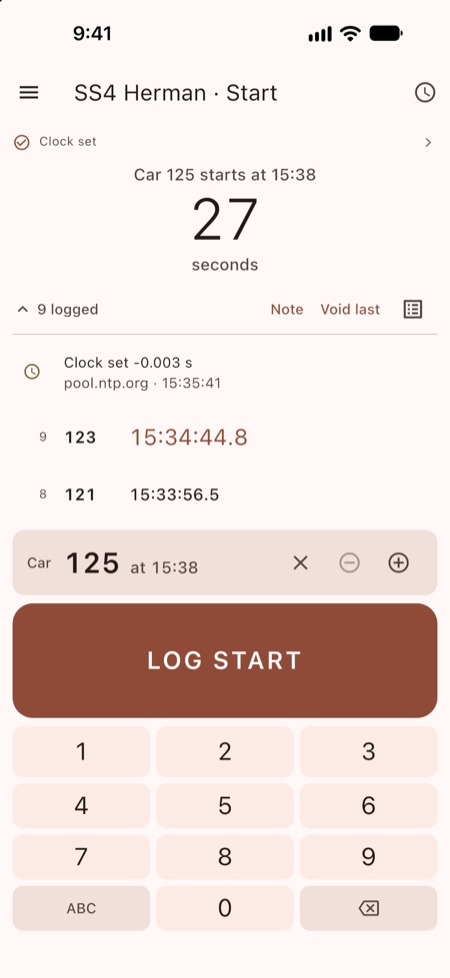
- Times a control. Start, flying finish, stop, ATC, the in and out controls at MTC, regroup and service. Capture a car on finger-down, with a lockout so one car doesn't register twice. Void a row and it stays crossed out in its place, which is what scoring needs.
- Keeps one clock. Set it from an internet time server, copy another device at the stage, or set it by hand. The device's own clock is never changed, and every correction is written into the log so scoring can allow for it.
- Gets the logs back. Hand a log to a sweep car or HQ over a Wi-Fi network or hotspot. Handing over copies the log, so the control keeps everything. Export a spreadsheet (CSV) or data file (JSONL) when you need one.
- Shares the event setup. An organizer fills in the event once, a course car hands it out, and each volunteer picks their control from a list.
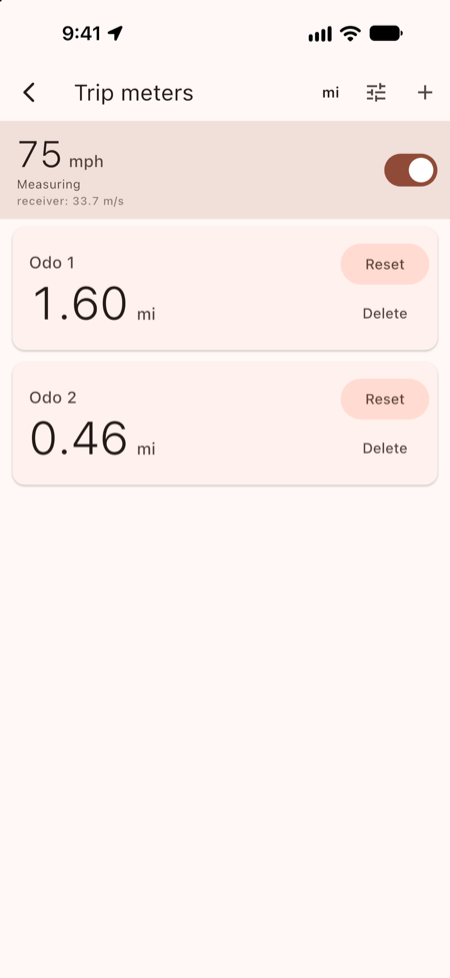
- Trip meters from GPS speed, that keep counting with the screen locked in its mount, and a lap timer for test days.
As much or as little as you like
Organizers can use Rally Clock for one control or for the whole event:
- One volunteer at a flying finish, on their own phone, with no event setup and no network.
- One stage, with the start, flying finish and stop on one main clock, and their logs handed to the sweep car.
- The whole event, with a setup handed out to every control, and the logs rolling up through the sweep cars to HQ and scoring.
Rally Clock for organizers explains each, with an example event setup to start from.
Lap timer for test days
Choose Lap Timer in Setup. Press START as the car first crosses the line, CAPTURE every lap, and STOP on the cool-down. Each lap shows how far it was off the best, in green or red. How to use the lap timer.
How to use Rally Clock
- Getting started: install it, choose your control, set the clock.
- Timing a control: capturing cars, numbers, mistakes and notes, and start, stop and out controls.
- Setting the clock: one main clock for a stage, and what the clock line means.
- Handing over logs: to a sweep car or HQ, and seeing what's missing.
- For organizers: as much or as little as you like, and sharing an event setup.
- Wi-Fi and hotspots: getting devices to see each other.
- Trip meters: measuring distance, and calibrating.
- Lap timer: lap times on a test day.
Installing on Linux
For 64-bit Debian and Ubuntu (and distributions based on them). Download rallyclock_1.0.0_amd64.deb, then in a terminal, from the folder you saved it in:
sudo apt install ./rallyclock_1.0.0_amd64.debThat fetches the libraries Rally Clock needs. It adds a Rally Clock entry to your applications menu, and you can also start it by typing rallyclock.
Using it with a crew
Copying the main clock, handing over logs and fetching the setup all need the devices on the same Wi-Fi network or hotspot: see Wi-Fi and hotspots. Working together (PDF) is the same for the crew, on a few printable pages.
Questions
Does Rally Clock need the internet or a phone signal?
No. Devices at a stage talk to each other over a Wi-Fi network or a phone's hotspot, with no internet behind it. An internet time server is only one way to set the clock: you can also copy another device's clock, or set it by hand at the top of a minute.
Can several devices keep the same time?
Yes. Set the clock on one device and copy it to the others over the local network. Each copy shows how closely it matched, such as ±5 ms.
Does it score the rally?
No. Each control records its own times and hands its log to a sweep car or HQ, and scoring works from there. Logs export as a spreadsheet (CSV) or a data file (JSONL).
Which devices does it run on?
Android phones and tablets (Android 7.0 or later), iPhone and iPad (iOS or iPadOS 15 or later), Macs (macOS 12 or later), and 64-bit Debian or Ubuntu Linux. A Windows version is on the way.
Is it free?
Yes. There's no account to make, and no ads or analytics.
Support
Questions, bug reports, or feedback from an event: dev@nitrocatinnovations.com.
Privacy
Your data stays on your device unless you hand it over or share it, and your position is never stored or sent. Read the privacy policy.